How to Fix Pokemon Go Unable to Authenticate Error

Go to Blogger edit html and find these sentences.Now replace these sentences with your own descriptions.

Unlock Locked Android Screen Lock In Just 5 Minutes

Go to Blogger edit html and find these sentences.Now replace these sentences with your own descriptions.

How to improve Android Phone battery life

Go to Blogger edit html and find these sentences.Now replace these sentences with your own descriptions.

How To Remove Instagram Shadowban On Android

Go to Blogger edit html and find these sentences.Now replace these sentences with your own descriptions.

Simplest way to Root Your Android Phone

Go to Blogger edit html and find these sentences.Now replace these sentences with your own descriptions.

How to Access Blocked Websites on Any Android Device


Accessing blocked websites is even easier on android devices thanks to a free VPN app called HOLA Free VPN Proxy app. Apart from the basic VPN feature, the app even allows you to switch countries with ease, which makes it easy to bypass geographically blocked websites. Here’s how you can use Hola Free VPN to access blocked websites on your android device.

This a totally free VPN app without any type of ads. You don’t need to buy any type of service in this app. This app works on all versions of the android smartphone. You don’t need to be rooted for using this app on your phone.

Hola VPN FEATURES
• The only VPN that gives you simple access to your favorite content
• Freedom to view applications and websites from around the world
• Browse the web privately & anonymously
• 100% Free
• Switch countries with ease
• Access sites blocked in your country through an innovative peer to peer network
• Accelerates browsing
• Reduces data costs
More info at https://hola.org/faq

How to Access Blocked Websites on Any Android Device using Android App

Step 1: Install the Hola Free VPN Proxy app on your Android device from Google Play Store.

Hola Free VPN Proxy Unblocker
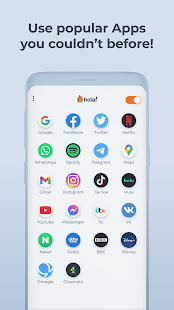
  • Hola Free VPN Proxy Unblocker Screenshot
  • Hola Free VPN Proxy Unblocker Screenshot
  • Hola Free VPN Proxy Unblocker Screenshot

Step 2: Open Hola Free VPN Proxy app in your Phone.
Step 3: Now tap on any of the Web browser apps listed in it. For this guide, I am going to tap on Chrome Browser.

                             Open Blocked Website in Chrome Browser using Hola VPN

 Open Blocked Website in Chrome Browser using Hola VPN 

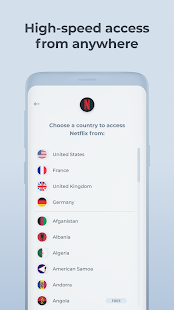
Step 4: Tap on Using from United States ( or anything similar that appears 

Step 5: Select a VPN from another country . Within a few seconds, the default VPN will be changed.

Step 6: Tap on the Open button to open the App and now you can access blocked websites with ease.

Open Blocked Website in Chrome Browser using Hola VPN

However, you need to remember that some websites have country based restrictions which is why you can’t access them if you do not reside in the countries where they are available. In such a situation you have to use another VPN.

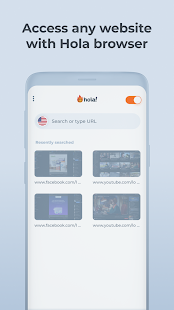
You can also browse blocked websites in Hola VPN browser. All you just need to type the URL in address bar of this app.

Step 5: Select a VPN from another country . Within a few seconds, the default VPN will be changed.

Step 6: Tap on the Open button to open the App and now you can access blocked websites with ease.

Open Blocked Website in Chrome Browser using Hola VPN

Open Blocked Website in Chrome Browser using Hola VPN

However, you need to remember that some websites have country based restrictions which is why you can’t access them if you do not reside in the countries where they are available. In such a situation you have to use another VPN.

You can also browse blocked websites in Hola VPN browser. All you just need to type the URL in address bar of this app.

Browse Blocked Website in HOLA VPN android app

Browse Blocked Website in HOLA VPN android app

Browse Blocked Website in HOLA VPN android app


Share:

WhatsApp Update

WhatsApp Business is a free to download app that was built with the small business owner in mind. Create a catalog to showcase your products and services. Connect with your customers easily by using tools to automate, sort and quickly respond to messages.

WhatsApp can also help medium and large businesses provide customer support and deliver important notifications to customers. Learn more about WhatsApp Business API.


END-TO-END ENCRYPTION

Security by Default

Some of your most personal moments are shared on WhatsApp, which is why we built end-to-end encryption into the latest versions of our app. When end-to-end encrypted, your messages and calls are secured so only you and the person you're communicating with can read or listen to them, and nobody in between, not even WhatsApp.

                                                                   DOWNLOAD ANDRIOD 


                                                                          IPHONE


Share:

10 PayPal Scams to Watch Out For


Digital payment systems like PayPal are more popular than ever, and scammers are following the money. Here's what you can do to guard against them.

With more than 400 million users and counting, PayPal is an attractive target for scammers. Many online scams that involve payment apps—including Cash App scams, Venmo scams and Zelle scams—bank on the fact that users don’t understand how these services work or use them carelessly, leaving users vulnerable to bad actors looking to steal their money, financial information and more.

That doesn’t mean you need to delete your PayPal account, though. You can still take advantage of all the features PayPal has to offer by using it smartly and knowing how to spot the signs of a scam. To help you do just that, we got the download from cybersecurity experts on what PayPal scams to look out for and how to avoid them.

What is PayPal?

PayPal is an all-in-one digital payment platform that offers an alternative to traditional banking methods. To create a PayPal account, users must first link their bank accounts or credit cards to the system. From there, they can log in through their computer or smart device and make purchases from third-party retailers, accept payments and deposits, or transfer money or cryptocurrency between accounts.

Can you get scammed with PayPal?

Unfortunately, it is all too easy for scammers to steal your money or financial information through PayPal. “There are different scams and fraud attempts deployed by identity criminals trying to steal your money, financial information and more” on PayPal’s platform, according to Eva Velasquez, president and CEO of Identity Theft Resource Center.

But keep in mind that PayPal isn’t the only place you could get scammed. “It is important to note that you can be scammed with any site or service,” says Alex Hamerstone, a director with TrustedSec, an ethical hacking company. Other common scams to watch out for include Amazon scams, Facebook Marketplace scams, phone call scams and gift card scams.

What are some common PayPal scams?

While scammers can be sneaky and convincing, their scams also tend to have some common themes that make them easier to identify. Here are some of the most prevalent.

Order confirmation scam

In the majority of PayPal-related scams, scammers use phishing emails to impersonate PayPal. Here’s how this one works: Criminals will create a fake or “spoofed” email address that appears to be from PayPal. Then they will send you an email that looks like an order confirmation for a recent purchase. You will be asked to check the status of your order by logging in to your account through a link included in the message.

These phishing emails take many different forms, but “what remains the same each time is what the criminal is ultimately after,” says Karim Hijazi, CEO of the cybersecurity company Prevailion and former contractor for the U.S. intelligence community. “They want to steal your PayPal login credentials by tricking you into signing in to your account through a spoofed web page.” Once the scammer captures your login information, they can use it to log in to your account and make purchases, withdraw money or carry out a doxxing attack, among a host of other things.

Fake fraud alert scam

Beware of unsolicited text messages that look like fraud alert notifications from PayPal. Known as “smishing” attacks, these fake fraud alerts are tough to spot because no two messages are the same. Some might warn that someone is trying to access your account, while others will report suspicious activity on your profile. “There is a wide range of fake alerts that scammers will use, and every one of them will be different,” says Hijazi.

While PayPal does send text messages or emails for one-time login codes or two-factor authentication, receiving a PayPal notification unexpectedly is a sign that you might be dealing with a scam. The text may appear to come from a legitimate PayPal phone number, but the link in the message could actually take you to a fake PayPal login page that steals account details like your password when you try to enter them. Clicking on the link could also accidentally download malware that allows someone to spy on your iPhone, so make sure to delete any phony texts as soon as you receive them.

Unsolicited payment or transfer request scam

Before accepting an unexpected payment or transfer request on PayPal, take a close look at the message. Some scammers create profiles that impersonate real people or businesses—even going so far as to steal their usernames and profile pictures.

You should report the scam to PayPal if you end up accepting the scammer’s request and sending them money. However, PayPal can’t guarantee that you will receive a refund. That’s why you should avoid getting scammed in the first place by always initiating transactions and never accepting unsolicited payment or transfer requests on PayPal, Velasquez says.

Password reset request scam

Received a password reset notification from PayPal out of the blue? Don’t click any links in the text message or email, Hamerstone says. Instead, log in directly through PayPal’s app or website through your browser and change your password immediately, in case your account has been hacked.

Scammers often create fake password reset alerts that appear to be from PayPal too. By clicking a link attached to the text message or email, you could accidentally share your login credentials with scammers or download malware. Beefing up your iPhone security and checking these iPhone privacy settings can protect you if a hacker gains access to your smartphone.

Fake charity scam

Another common PayPal scam uses fake charities to solicit donations from unsuspecting users. The fraudster will create a webpage for a phony charity organization, then contact victims asking for donations via PayPal. Although they may share forged confirmation emails or receipts to make it appear as though the transaction is legitimate, in reality, they have already taken off with your money. These fake charity sites are getting more convincing, but there are ways to spot fake donation scams so you don’t fall victim going forward.

Promotional offer scam

Like fake fraud alerts or order confirmation emails, this scam relies on a spoofed email address or phone number that makes their message appear to be from PayPal. The message notifies users that they have qualified for a promotional offer and money has been deposited into their account. Ultimately, the scammer is hoping to trick the user into entering their PayPal login credentials on a fake webpage or clicking an attachment that infects their phone with a virus.

Refund request scam

Receiving a random PayPal transfer is not always an honest mistake. In fact, scammers often use this trick to fool you into giving them money. The fraudster might use the stolen financial information from a hacked PayPal account to transfer several hundred dollars to your account, then send you a message saying: “Oops! Can you send that back?” The money that you send goes to the criminal’s personal card—which they have added to the fake account—and the stolen funds are removed from your account.

Overpayment scam

Turns out, everyday users are not the only victims of PayPal scams; criminals target sellers and retailers through PayPal too. For example, a fraudster will overpay for an item using a fake or stolen credit card or bank account number, then contact the seller to ask them to return the overpaid amount, usually to a different account than the one they used to make the initial payment. Once they get the money back, the scammer will contact PayPal to cancel the original transaction, leaving the seller out of both their product and payment.

Shipping address scam

When you sell something online, always verify the address where you are shipping the item. Some scammers will purchase goods through PayPal but give the seller an invalid delivery address. After the shipping company marks the package as undeliverable, the buyer will contact the shipping company to change the address and request a refund from PayPal on the undelivered order. Retailers also should watch out for brushing scams when selling products online.

Hacked account scam

If a cybercriminal learns the login credentials and gains access to a PayPal account through a phishing attack, they can use that account to scam other users as well. They may transfer funds to your PayPal account as payment for a product or service, but after they receive the product, the money disappears from your account. More than likely, PayPal withdrew the money after getting word that the account was hacked.

How do I avoid getting scammed on PayPal?

Let’s be honest: Cybercriminals will never stop trying to scam you. But there are some steps you can take to protect yourself against future PayPal scams. Experts recommend following these tips to outsmart scammers.

  1. Always initiate transactions on PayPal. If you receive a request for money, do not accept it until you verify that it is legitimate.
  2. Never click on any links or attachments or respond to any unexpected messages from PayPal. Instead, reach out to PayPal directly to confirm that the message is real.
  3. Look for generic greetings, typos or incorrect grammar in messages from PayPal, which could be red flags of a scam.
  4. To find out whether an email message is actually from PayPal, click the “view source” or “open original” button in your email account. This will show the full header and routing details for the email you received. Find the line item in the header called “return-path,” which tells you whether the email you received came from PayPal or a fake email address. A phony sender’s address might be scrambled or off by one or two letters.
  5. Never log in to your PayPal account through a link that is shared with you via email, text message or other means. Instead, log in directly from your web browser or app.
  6. Rather than calling a phone number that has been provided to you in a message from PayPal, contact PayPal directly by looking up its publicly listed phone number.
  7. Never share your account information, including passwords, bank account or payment card information, by email or over the phone.
  8. If you receive a fake or suspicious email or text message, report it to PayPal at spoof@paypal.com.
  9. Regularly monitor your PayPal account for suspicious activity, and contact PayPal if you notice anything unusual.
  10. Create a strong, unique password and enable two-factor authentication to prevent hackers from accessing your PayPal account.
  11. Use spam filters to block emails and stop spam texts going forward.

Sources:

Share:

200 Netflix Secret Codes


Classic Netflix codes

Although Netflix does offer convenient genre headings that are searchable, sometimes it helps to have a shorthand available when you want to cut right to the types of movies you know and love. Here’s how to get a bird’s-eye view of some of the most popular movie and TV genres available to stream.

  • Recently added: 1592210
  • Action and adventure: 1365
  • Comedies: 6548
  • Children and family: 783
  • Dramas: 5763
  • Horror: 8711
  • Musicals: 13335
  • Romance: 8883
  • Science fiction and fantasy: 1492
  • Sports: 4370
  • Television shows: 83
  • Thrillers: 8933
  • Anime: 7424
  • Documentaries: 6839

Netflix codes for thrillers

Sometimes, you need a great action movie. Whether your taste veers toward military movies, sci-fi movies, or superhero epics, there’s plenty to choose from on Netflix. Here’s how best to find the right adrenaline rush for your movie night.

  • Classic action and adventure: 46576
  • Spy action and adventure: 10702
  • Action comedies: 43040
  • Comic book and superhero: 10118
  • Adventure: 7442
  • Military action and adventure: 2125
  • Asian action: 77232
  • Crime action and adventure: 9584
  • Westerns: 7700
  • Action sci-fi and fantasy: 1568
  • Alien sci-fi: 3327
  • Classic sci-fi and fantasy: 47147
  • Cult sci-fi and fantasy: 4734
  • Fantasy: 9744
  • Sci-fi adventure: 6926
  • Sci-fi dramas: 3916
  • Sci-fi horror: 1694
  • Sci-fi thrillers: 11014
  • Classic sci-fi and fantasy: 47147
  • Action thrillers: 43048
  • Classic thrillers: 46588
  • Crime thrillers: 10499
  • Gangster films: 31851
  • Independent thrillers: 3269
  • Mysteries: 9994
  • Political thrillers: 10504
  • Sci-fi thrillers: 11014
  • Spy thrillers: 9147
  • Steamy thrillers: 972
  • Supernatural thrillers: 11140
  • Classic war movies: 48744
  • Classic Westerns: 47465
  • B-horror movies: 8195
  • Creature features: 6895
  • Cult horror movies: 10944
  • Deep sea horror movies: 45028
  • Horror comedies: 89585
  • Monster movies: 947
  • Slasher and serial killer movies: 8646
  • Supernatural horror movies: 42023
  • Teen screams: 52147
  • Vampire horror movies: 75804
  • Werewolf horror movies: 75930
  • Zombie horror movies: 75405
  • Satanic stories: 6998

Netflix codes for comedies

When you need a good chuckle, nothing scratches the itch better than a great funny movie. Netflix has a range of options, from dark, satirical films, to goofy slapstick, to feel-good romantic comedies. Here’s how to find the biggest belly laughs Netflix has to offer.

  • Dark comedies: 869
  • Horror comedies: 89585
  • Late-night comedies: 1402
  • Mockumentaries: 26
  • Political comedies: 2700
  • Romantic comedies: 5475
  • Satires: 4922
  • Screwball comedies: 9702
  • Slapstick comedies: 10256
  • Sports comedies: 5286
  • Stand-up comedies: 11559
  • Teen comedies: 3519
  • Classic comedies: 31694
  • TV comedies: 10375
  • Comedy anime: 9302
  • LGBTQ comedies: 7120

Netflix codes for the whole family

Gather the entire family on the couch with a giant bowl of popcorn, and settle in for something all can enjoy, regardless of age. While there are certainly a lot of classic family movies available to stream, here’s how to skip ahead to the movies and TV shows guaranteed to be crowd-pleasers.

  • Education for kids: 10659
  • Disney movies: 67673
  • Movies based on children’s books: 10056
  • Family features: 51056
  • TV cartoons: 11177
  • Kids’ TV: 27346
  • Kids music: 52843
  • Animal tales: 5507

Netflix codes for drama lovers

Movies can be escapist fun, but they can also be a little meatier—and that’s always something that attracts the film-obsessed and those who love a good drama movie alike. Knowing these secret codes can open up a fire hose of gripping dramas, iconic classics, and new discoveries.

  • Biographical dramas: 3179
  • Classic dramas: 29809
  • Courtroom dramas: 2748
  • Crime dramas: 6889
  • Dramas based on books: 4961
  • Dramas based on real life: 3653
  • Tearjerkers: 6384
  • Sports dramas: 7243
  • LGBTQ dramas: 500
  • Independent dramas: 384
  • Teen dramas: 9299
  • Military dramas: 11
  • Period pieces: 12123
  • Political dramas: 6616
  • Romantic dramas: 1255
  • Showbiz dramas: 5012
  • Social issue dramas: 3947
  • Film noir: 7687
  • Classic romantic movies: 31273
  • Epics: 52858
  • Silent movies: 53310
  • Classic sci-fi and fantasy: 47147
  • Classic action and adventure: 46576
  • Classic dramas: 29809
  • Classical musicals: 32392
  • Classic thrillers: 46588
  • Classic war movies: 48744
  • Classic Westerns: 47465

Netflix codes for documentaries

Netflix has always tried to balance its offerings to appeal to both mass audiences and those looking to indulge in a little history, or learn something about the world around them. Finding a documentary that will engage your brain while providing plenty of entertainment is now that much easier.

  • Biographical documentaries: 3652
  • Crime documentaries: 9875
  • Historical documentaries: 5349
  • Military documentaries: 4006
  • Sports documentaries: 180
  • Music and concert documentaries: 90361
  • Travel and adventure documentaries: 1159
  • Political documentaries: 7018
  • Science and nature documentaries: 2595
  • Social and cultural documentaries: 3675
  • LGBTQ documentaries: 4720
  • Experimental movies: 11079

Netflix codes for sports movies

Whether it’s on a field, court, rink, or track, Netflix has an array of sports movies and TV shows that’ll please sports fans of all kinds.

  • Baseball movies: 12339
  • Basketball movies: 12762
  • Boxing movies: 12443
  • Football movies: 12803
  • Martial arts movies: 8985
  • Boxing and wrestling movies: 6695
  • Soccer movies: 12549
  • Sports and fitness: 9327
  • Sports comedies: 5286
  • Sports documentaries: 180
  • Sports dramas: 7243

Netflix codes for TV series

Gone are the days when you’d aimlessly flip through a cable TV grid hoping to catch something to watch before it ended—remember when shows aired at certain times on certain days? What was that about? Luckily, Netflix has a way to indulge TV fans with a wide range of offerings.

  • British TV shows: 52117
  • Classic TV shows: 46553
  • Crime TV shows: 26146
  • Cult TV shows: 74652
  • Food and travel TV: 72436
  • LGBTQ TV shows: 65263
  • Kids’ TV: 27346
  • Korean TV shows: 67879
  • Military TV shows: 25804
  • Miniseries: 4814
  • Reality TV: 9833
  • Science and nature TV shows: 52780
  • TV sci-fi and fantasy: 1372
  • TV action and adventure: 10673
  • TV comedies: 10375
  • TV docuseries: 10105
  • TV dramas: 11714
  • TV horror: 83059
  • TV mysteries: 4366
  • TV cartoons: 11177
  • Kids’ TV: 27346
  • Classic TV: 46553
  • Anime sci-fi: 2729
  • Anime horror: 10695
  • Anime fantasy: 11146
  • Anime features: 3063
  • Anime dramas: 452
  • Anime action: 2653
  • Anime series: 6721
  • Anime comedy: 9302

Netflix codes for international films

Streaming has made the world of entertainment much, much smaller. Now, people all over the world can share in both mass entertainment and smaller, niche programming—introducing one another to unique and amazing new works. You don’t need a passport, either (but you might need subtitles).

  • African: 3761
  • Asian action: 77232
  • Australian: 5230
  • Belgian: 262
  • British: 10757
  • Chinese: 3960
  • Dutch: 10606
  • Eastern European: 5254
  • French: 58807
  • German: 58886
  • Greek: 61115
  • Indian: 10463
  • Irish: 58750
  • Italian: 8221
  • Japanese: 10398
  • Korean: 5685
  • Latin American: 1613
  • Middle Eastern: 5875
  • New Zealand: 63782
  • Russian: 11567
  • Scandinavian: 9292
  • Southeast Asian: 9196
  • Spanish: 58741
  • Taiwanese: 434295
  • Turkish: 1133133

Netflix codes for holiday movies

Looking for a little Christmas cheer in the form of a funny Christmas movie? How about one of the best Halloween movies on Netflix? These Netflix secret codes make it easier to match your viewing with the holiday season, with quick access to family-friendly fare, international films, and cartoons.

  • Seasonal streamings: 81346420
  • British Christmas children and family films: 1527064
  • Canadian Christmas children and family films: 1721544
  • Christmas children and family films: 1474017
  • Christmas comedies: 1474015
  • Christmas for kids: 1726277
  • Christmas TV cartoons: 1395703
  • Christmas TV comedies: 1395700
  • European Christmas children and family films: 1527063
  • Feel-good Christmas children and family films: 1475066
  • Feel-good Christmas movies: 1418977
  • Family Halloween treats: 81346195
  • Halloween comedies: 81510605
  • Halloween favorites: 81336575


Share:

How to Browse the Internet Anonymously


Follow these expert tips to surf the Web without being tracked.

At this point, it’s no secret that Google is watching. If you’ve ever looked up anything on the Internet—from the name of that guy in that movie (you know the one) to the best sneaker sales—you’ve probably been inundated with ads related to the topic. Thanks to cookies, websites remember us and give us a personalized experience, but that comes at a cost to our privacy. The creep factor alone sends many an Internet explorer on a quest to find ways to do an anonymous search without tracking.

“Anonymity is an important aspect of freedom of speech. Many people want to hide their identity when they search the Internet,” says Anurag Gurtu, chief product officer at cybersecurity company StrikeReady. Maybe you have political, personal, or business reasons to search anonymously. Maybe you want to make it harder for data brokers to buy and sell your personal info (and people to use it in doxxing attacks). Or maybe you’re concerned with more malicious spyware.

With hackers becoming more sophisticated than ever and online security a growing concern, you may be tempted to disappear completely from the Internet. Thankfully, there are less-extreme ways to prevent the online privacy risks that can come from tracking. In addition to being aware of the signs your computer has been hacked, follow the pros’ lead and install security apps while also clearing out apps that might be doing you more harm than good.

For more expert tips for doing an anonymous search without tracking, read on.

How am I tracked online?

Face it: It’s not a question of if the Internet is spying on you but how the Internet is spying on you. “Extensively is the best description of how you’re tracked online,” says Tony Anscombe, chief security evangelist for digital security company ESET.

“If I use the Chrome browser for anything, Google knows about it,” says D. Greg Scott, a cybersecurity expert for the software company Red Hat. “Google knows everything I do with my Android phone. When I log in to Google with any browser, Google also follows me there. When I shop at Amazon—or anywhere—and they drop cookies, other websites also pick them up.”

Some of the methods by which we are tracked online are obvious, Anscombe says, pointing to data requested through forms, browser cookies, and account log-ins. But while you might not think about it quite as often, your IP address is hands down the greatest tracking method. Sites can also use fingerprinting to learn about your computer and browsing history. Some stores even monitor visitors’ actions, like clicks and keystrokes.

Forms

Fill out a form with your information—say, your shipping address for quicker checkout—and you’re providing data to a site.

Browser cookies

Cookies store information about how you interact with a website—your preferred language, for example—and are another way your Internet history is tracked. They’re often used for advertising and targeted ads, but they also store financial data and social security numbers, which could lead to identity theft if the wrong person gets ahold of those personal details.

And while websites ask you to reject or accept cookies, many make users jump through a ton of hoops to reject all. (Naturally, the “accept cookies” button is super easy to find.)

Account log-ins

When you’re logged into an account, the company can track where you are and can access the information it has on file about you. “You might be surprised just how much data companies like Google and Facebook already have about you,” Gurtu says. “Like your age, location, interests, and more.”

IP address

There are many ways the Internet tracks us, but one of the primary methods is via IP address, a unique code assigned to your device. “Your IP address can reveal a lot about you,” Gurtu says. “You can find out what country, state, and city you’re in just by looking at it. If you want to keep your location private, this isn’t great.”

Let’s say you log out of your Facebook account—something Anscombe recommends doing “so they may not be able to attribute the browsing history to you.” That doesn’t mean you’ll avoid tracking altogether. If a website uses Facebook’s tools for advertising purposes, he says, “they may be collecting browsing data based on your IP address.”

Fingerprinting

Joshua Long, head of marketing at Mojeek, the first search engine with a no-tracking privacy policy, says fingerprinting is a common tracking method. It’s “how our machines appear to websites when browsing the Internet, exposing a great deal of our browsing history—if not all of it—to the websites we visit,” he says.

Sound scary? You can learn how identifiable you are on the Internet by viewing your browser fingerprint at AmIUnique.

Do Internet companies know what sites I visit?

If you’re worried about your online privacy, you’re probably concerned about more than just Google looking over your shoulder. Chances are, you’ve also wondered: Do Internet companies know what sites I visit? The shorter answer: Yes.

Internet service providers (ISPs) track your activities through your IP address, cookies, and other means. “This is why privacy is such an important issue when it comes to the Internet,” says Magda Chelly, the chief information security officer at Responsible Cyber. “There are ways to avoid having your activities tracked, but it takes effort and vigilance. You can use a VPN to browse the web anonymously, but even then, your activity can be monitored by your ISP or the government.”

Your Internet service provider can see what websites you visit and other information, such as how often you visit a site and how long you stay there. It can also see your IP address, which reveals your physical location. But there’s a limit, at least on some websites. “If you use encrypted connections like https,” Gurtu says, “the provider cannot see what pages on each website you visit or what videos or images you view on those websites.”

How can I browse privately without being tracked?

You know you’re being tracked, and frankly, you’re not a fan. It’s time to take action. We asked cybersecurity experts how to do an anonymous search without tracking. Here are the top methods for avoiding cookies, keeping your search history private, and getting as close to anonymous as possible.

Use a private search engine

It does this: Lets you search without being tracked.

It doesn’t do this: Prevent tracking elsewhere on the web.

Google is great from a search perspective, but if you’re concerned with online tracking, turn to a private search engine, which is generally more trustworthy. If it doesn’t track and store your data, it can’t hand over your information to government authorities.

  • Mojeek: This independent search engine doesn’t track you and provides unbiased results.
  • Gigablast: This search engine uses encryption to ensure privacy and doesn’t track you.
  • DuckDuckGo: One of the most popular private search engines, DuckDuckGo doesn’t store user information and doesn’t share or sell user information to third-party companies. The search engine shows ads, but they’re generic and related to the keyword you searched, not based on your personal information or search history.
  • StartPage: This is currently considered one of the most private search engines. “StartPage doesn’t track, log any user data, or share information with third parties,” says Artur Kane, chief marketing officer with the cloud service company GoodAccess. “And it uses Google search technology, which ensures consistently relevant results without compromising privacy.”
  • Xayn: This search engine blocks trackers, cookies, and ads, and it won’t collect your data.
  • Kiddle: If kid-safe searching is as important to you as privacy, you may want to download Kiddle on your child’s computer. It retrieves kid-oriented, family-friendly results, doesn’t collect any personally identifiable information, and deletes its logs every 24 hours.

If you’re looking to do an anonymous search without tracking, it might be best to employ a variety of search engines, depending on what you’re searching for. “We are seeing a trend away from one standard, generic search engine, like Google, and toward a more sophisticated method of using several specialized search engines for different needs,” says Michael Huth, PhD, cofounder of Xayn. “Qwant is great for family-safe searches, Xayn is nice for ad-free news streams, and Ecosia supports the environment.”

Depending on your needs, you may prefer using a privacy-focused browser like Firefox or Brave. “Brave was built with privacy in mind and intentionally threw out some of the bells and whistles to prevent the sharing of your private information,” says Andy Rogers, senior assessor at Schellman, a global cybersecurity assessor. “Brave is a Chromium-based browser, which means that it is built on code from Chrome, but they were meticulous in how they designed it, with the user’s privacy in mind.”

Open a private browser window

It does this: Launches a new browser window that won’t save your browsing history, cookies and site data, or information entered in forms.

It doesn’t do this: Prevent websites from tracking your IP address. Your activity might still be visible to the websites you visit, your employer or school, and your Internet service provider.

Privacy boost: A private window plus a VPN.

Private browsing is a way to keep your online activity hidden, though not from everyone. “It hides your browsing history in that session but doesn’t protect you from websites tracking your activity on their sites by IP address,” says Gurtu.

So while Google’s Incognito mode prevents someone with access to your computer from seeing your searches—which is helpful if you’re searching for a gift or researching something you don’t want other people to see—it’s not as truly incognito as many people think it is.

“There is a lot of misinformation out there about incognito browsing and how it affects your privacy,” says Chelly. “When you close an incognito window, any websites you visited during that session will not appear in your browser history. However, this doesn’t mean that your activity is completely private and anonymous. Your Internet service provider can still see what websites you’re visiting while in Incognito mode. In addition, any website you visit can still track your activity through cookies or other forms of data tracking.”

Think of private browsing as a first line of defense. (To do it, go to File and then “New Incognito Window” or “New Private Window.”) To do a more anonymous search without tracking, you’ll need another tool. “You can also use a VPN to connect through a different server than the one you usually use, masking your identity and location,” says Gurtu.

Browse in Google’s Guest mode

It does this: Avoids storing your search history.

It doesn’t do this: Stop websites from tracking your IP address. Your data is still visible to the websites you visit, your employer, and your Internet service provider.

Privacy boost: Guest mode plus a VPN.

If you’re trying to do an anonymous search without tracking, consider Google’s Guest mode like a private window. “In Guest mode browsing, your search history is not stored,” Kane says. “However, similarly to Incognito mode, your data is still visible to the websites you visit, Internet service providers, or employers.”

In short: Neither Incognito mode nor Guest mode will make you invisible while browsing the Web.

“If you want to browse the Internet without worrying about setting up a new user account or needing to log out of your current account, then Guest mode is perfect for you,” Gurtu says. “When you’re done using Guest mode, simply close out of the window, and it will automatically delete all browsing data.”

That’s a handy option if you’re using a public computer, borrowing a pal’s computer, or letting someone borrow yours. To enter Guest mode, follow these steps:

  1. In the Chrome browser, click the icon to the right of the address bar that looks like a circle with a silhouette in it.
  2. Click Guest.
  3. When you’re done browsing, close the window.

Speaking of Google: Want to hide some of the info that appears when you search yourself? Learn how to delete yourself from Google searches.

Ask sites not to track you

It does this: Requests that sites don’t track you.

It doesn’t do this: Force sites not to track you.

You can tell sites to stop tracking your activity by setting Do Not Track (DNT) in your browser. On Chrome, for instance, you can go to Settings, click on “Privacy and security,” and then “Cookies and other site data.” From there, toggle on the option to send a Do Not Track request.

Once enabled, this feature will ask websites not to assign you cookies, those files that allow settings to be stored within your browser for when you return. It sounds great, but it’s not that straightforward. “A website needs to honor DNT for this to work, and many do not,” Long explains. “DNT is not an effective way to prevent online tracking, at least not on its own, due to it not being legally enforceable and not being a comprehensive way of preventing tracking online.”

Ashley Simmons, founder of online privacy and security site Avoid the Hack, agrees. “It doesn’t automatically stop websites from tracking you and merely sends a request header to the web servers to ask not to be tracked. The website isn’t obligated to respect this.”

For Do Not Track to be effective, Long says, it needs to be merged with a host of other methods, including extensions that block trackers, such as uBlock Origin (his recommendation and the gold standard to most). But not even this one-two punch can fully knock out tracking.

Simmons says Do Not Track can serve as another means to track you, so it’s best to leave it off. And extensions pose their own issues. For instance, if you’re the only one using a specific grouping of extensions, you’re giving yourself a unique fingerprint to be tracked. “Every extra extension you add makes you more unique in the process of fingerprinting,” Long says.

Scott thinks extensions are a bad idea overall. “Just say no,” he says. “Most of these are spyware in disguise. The people who build these add-ons need to make money somehow.”

Long says that each time you add a new extension, you need to “explore the project and see if you’re comfortable with it” and question whether you really need it. “Using a tool with always-on privacy, such as the Brave browser, might be a better approach for some users,” says Huth.

Use a VPN

It does this: Encrypts your web traffic and masks your IP address.

It doesn’t do this: Stop tracking via cookies, your browser fingerprint, or account log-ins.

Privacy boost: VPN plus Tor browser.

As you browse the Web, your IP address—that special number assigned to your device—is visible. If you’re trying to do an anonymous search without tracking, you’re going to want to hide it. That’s where a virtual private network, or VPN, comes in.

So, does a VPN hide your Internet activity from your provider? Yep. It disguises your IP address, blocks your location, and hides your browser history from the sites you visit, your Internet service provider, hackers, and the government. The tech does this by rerouting your web traffic through the VPN’s servers. This is a major plus if you’re using public Wi-Fi, which can pose security risks.

That’s all useful, but VPNs don’t make you totally invisible online. They won’t reliably stop tracking by any sites you’re actively using or stop you from being tracked by cookies. “You can use a VPN solution, but that just changes the vector of tracking from the ISP to the VPN provider,” says Vikram Venkatasubramanian, founder and CEO of Nandi Security.

Still, it’s a good step to take in combination with other privacy tools, like the use of the Tor browser (more on that in a minute). Considering how useful a VPN is for online privacy, it’s a good idea to invest in one with a good security reputation, such as NordVPN and Private Internet Access.

Use the Tor browser

It does this: Disguises your web activity by encrypting it and deletes your browsing history and cookies after each session.

It doesn’t do this: Prevent tracking when you’re not using Tor.

Privacy boost: Tor plus a VPN.

Tor stands for The Onion Router, and it’s a nonprofit founded on the belief that “Internet users should have private access to an uncensored Web.” The Tor browser eliminates fingerprinting by making all users look the same through encryption and relaying your traffic through thousands of volunteer-run servers known as Tor relays. If you’re looking to do an anonymous search without tracking, Tor is a solid option.

By using the Tor browser, you can mask your activity, and websites can’t trace your online activity back to your IP address, Anscombe says. “This is because the Tor network uses a series of proxies to hide the connection information,” he says. “However, your ISP will be able to determine you are connected to the Tor network, so not all tracking is removed. There is an additional step that could be taken by using a VPN and then using a browser like Tor. This will mask the use of Tor to the ISP, but again, they would likely be able to determine the VPN service you are using by the IP address you are connected to.”

The best way to do an anonymous search without tracking

If you want to browse the Internet as a ghost, you won’t get by with a single method. For best results, try combining privacy tools. Use a VPN and a private browser. Search via a private search engine in a private browser while using a VPN. And if staying anonymous online sounds like work, that’s because it is.

Once you’re done prepping for your next anonymous web experience, learn other ways to beef up your online security, like creating good passwords, being on alert for phishing and spoofing, and enabling two-factor authentication for all your accounts.


Share:

9 Common Zelle Scams to Watch Out For


Because Zelle is an easy way to send and receive money, it's also an easy way for hackers to steal it. Here’s how to protect yourself from Zelle scams.

The pandemic normalized contactless payments, and digital wallet options have popped up everywhere, including places that used to only accept cash—like farm stands, garage sales and even your babysitter. While this is incredibly convenient, it also leads to unsuspecting people becoming victims of scams, and wherever we turn, there seems to be another one—cash app scams, online scams, Venmo scams, Facebook Marketplace scams and, now, Zelle scams.

“Over 100 million people use Zelle to transfer nearly $500 billion annually, which is a staggering amount of money,” says Monica Eaton-Cardone, COO of Chargebacks911. “So, naturally, when you have that many people transferring that much wealth, it’s going to attract the attention of hackers, criminals and cyberthieves.”

To help you stay safe, we’ve identified the most common Zelle scams you might encounter, as well as provided information on what to do if you accidentally fall for one. And remember: Scammers are sneaky, but if something seems off about a monetary transaction, it probably is.

What is Zelle?

Zelle is a P2P (peer-to-peer) system that allows you to send money quickly and conveniently from your credit card or bank account, only requiring you to enter the recipient’s phone number or email address. Zelle was created in 2017 by the company Early Warning Services (EWS), which is owned by seven of the biggest banks in the United States, including Bank of America and Capital One. Hundreds of banks and credit unions now offer Zelle as a service.

Aside from its ease of use, Zelle’s main draw is the speed at which money can be transferred. “Unlike traditional financial transfers, such as wire transfers, which can take a day or longer to process, Zelle transfers happen instantly,” explains Brian Contos, Chief Security Officer of Phosphorus Cybersecurity in Nashville. “That means once you’ve made a Zelle payment to someone, the money is out of your account and essentially gone—with no way to stop the transaction.”

Zelle only works with bank accounts and debit cards and is designed to move money between bank accounts, so in that sense, Zelle is similar to a cash transaction. “Unlike some other digital payment networks, your money isn’t kept in a separate account with the service,” says Alex Hamerstone, Advisory Solutions Director at TrustedSec.

Who can use Zelle?

“Anyone with a bank account at one of the participating banks can register with and use Zelle,” Hamerstone says. “And additionally, anyone can register with Zelle mobile using a Visa or Mastercard branded debit card.” When using Zelle, at least one side of the transaction (sender or receiver) must have access to Zelle either through their bank or credit union or through the app.

If your bank is partnered with Zelle, you can find Zelle in your banking app. If you’re linking Zelle to a Visa or Mastercard debit card, then you’ll need to download the Zelle app to get started. If you send money through Zelle to someone who isn’t enrolled, they’ll get a notification telling them how to receive the money.

One important note: Zelle isn’t available overseas and can’t be used for international transactions.

What are some common Zelle scams to look out for?

The good news is that Zelle has top-tier security protocols, says Adam Levin, host of the “What the Hack with Adam Levin” podcast. The bad news? Scammers are creative and convincing, and once you send money, you have little recourse to recoup it. “Zelle’s main vulnerability is that payments are instant and irreversible,” explains Ted Rossman, a senior industry analyst at Bankrate. “People love getting paid quickly—like, if I’m reimbursing a friend for my share of a meal—and fraudsters exploit this vulnerability.”

If you lose your phone and have the Zelle app, a criminal can initiate transfers from your account, but in the majority of cases, “Zelle scams boil down to trickery,” Contos points out. “Most of the time, Zelle scams involve social engineering a victim into transferring money to the criminal’s account.” The same is often true of scams involving Apple Pay and Google Pay.

These are the most common Zelle scams:

Impersonation scam

This is probably the most common scam, according to experts, and it has several forms. A scammer will impersonate a friend or family member and say they have an emergency and need money right away. This urgent request may come in an email, text message, direct message on a social media site or even a phone call.

Other times, a criminal will impersonate a legitimate company, organization or government agency and request a payment from you via Zelle. “They could claim that you owe them money for a past due charge, that your water bill is late and the service will be stopped if you don’t pay immediately, that you were short on your taxes, or that you failed to pay a traffic fine and a warrant will be issued for your arrest,” says Contos. “They could also claim to be a charity, a family member who is stranded and in desperate need of help, or use any other con that will pull at your heartstrings.” FYI, be aware of these scam phone numbers.

Romance scam

Catfishing or “romance” scams are also increasing in frequency. In fact, Joe Troyer, CEO of ReviewGrower, says they’re the most common Zelle scams. According to the Federal Trade Commission, “people sent $547 million to online romance scammers last year,” and “in the past five years, people have reported losing a staggering $1.3 billion to romance scams, more than any other FTC fraud category.”

“It all begins with a phony dating profile on one of the many popular social media sites or apps,” Troyer says. “People exchange hundreds of texts with the fraudsters, who are charming and can make people fall in love with them, and then they start asking for money or presents, often requesting cash through Zelle.”

Phishing scam

“In this scam, scammers send emails or text messages that appear to be from a participating financial institution, asking users to click on a link or open an attachment,” explains Daniel Chan, Chief Technology Officer of Marketplace Fairness. “If users do this, they may download malware that can steal their personal information.”

The FBI warns about these phishing scams that “lure you in and get you to take the bait,” noting that any ploy that leads a victim to giving a scammer access to their Zelle account is extra risky. That’s because Zelle payments are fast and irreversible and were designed only to be used between people who know and trust each other.

Fake invoice scam

With this type of scam, scammers send emails or text messages that appear to be from a business that the user does business with. “The email or message will instruct the user to click on a link to view an invoice,” Chan says. “If the user clicks on the link, they’ll be taken to a website that looks like the business’s website. However, this website is a scam site, and if the user enters their personal information, they will give the scammers access to their account.”

Lottery scam

The lottery scam can be used for any prize. In this scam, emails or text messages appear to be from a lottery company or a company offering a prize of some sort. The email or message will ask the user to click on a link to claim their prize and enter their Zelle account to send the “lottery winnings.” Like the fake invoice scam, if the user clicks on the link, they will be taken to a website that looks like the lottery company’s website, and if the user enters their personal information, they will give the scammers access to their account.

Malware scam

Paul Bischoff, a privacy advocate at Comparitech, warns against clicking on links or attachments in unsolicited emails or texts, because they could install malware on your device. “You’re tricked into installing malware,” Bischoff says, “and an attacker could hijack your device and send themselves money from your Zelle app.”

And that’s not all. “More severe malware could hijack banking apps like Zelle and send money directly from your account,” Bischoff adds. “Other malware might just wait for you to log in to your bank account via a web browser so it can steal your password and send it to the attacker. Another strain of malware might redirect you to a phishing site when you try to access your bank’s website or Zelle, which then steals your password and other info.”

Goods-and-services scam

Jim Murphy, Director of Fraud Management North America at D4t4, also warns against the goods-and-services scam. “This happens when you shop online and pay using Zelle and never receive what you paid for,” Murphy says. “The item is usually listed at a discount but only if it’s purchased within a limited time window.”

As Hamerstone warns, be wary of companies or individuals with products that are priced low or are hard to find—and who then push you to pay via Zelle.

Emergency phone scam

“Another thing to watch out for is someone asking to use your phone,” Hamerstone warns. “There have been cases where someone will fake an emergency, ask to use a stranger’s phone and then quickly send a payment to themselves.”

Can Zelle refund my money if I’m scammed?

Because Zelle is intended to be used between people who know each other, and the money goes directly from one bank account to another, there is little to no protection at this time if you fall for a Zelle scam.

“It is important to note the difference between fraud and a scam. In short, if someone gets access to your account without you being involved in any way, that is considered fraud, and you will generally be able to get your money back,” Hamerstone says. “But if you are the victim of a scam—where you are tricked into sending someone money, whether for a product or service that you never received or never even existed—then you are unlikely to get your money back.”

In general, before signing up for any service, read the fine print when it comes to a company’s fraud protection rules. “While PayPal offers significant protection from fraudulent transactions, Zelle, for example, does not offer such protection,” says Steven J.J. Weisman, a lawyer and professor of white-collar crime at Bentley University. “That is why these services should never be used for commercial transactions but only to transfer small amounts of money to people you know.”

Similarly, you likely won’t be able to get your money back if you fall victim to a gift card scam.

What should you do if you’ve fallen for a Zelle scam?

If you’ve been the victim of fraud or a scam, you should report it immediately online to the FBI Internet Crime Complaint Center or call the FBI’s toll-free fraud hotline at 833- FRAUD-11. If you are enrolled in Zelle through your bank, you’ll also need to contact them, but if you’re enrolled with the Zelle app, you can fill out this online form or call 844-428-8542.

If you report a Zelle scam immediately, you may get your money refunded, but some banks are taking the position that the Electronic Transfer Act does not apply to many victims of Zelle scams. “It is a pointing-finger matter,” says Andy Rogers, a senior assessor at Schellman, a cybersecurity company. “Zelle will point to your bank as the one that should do the refunding, and your bank points back to Zelle as the one who should refund the money. ”

How do you avoid Zelle scams?

While anyone can be faced with Zelle scams, there are ways to protect yourself—namely, by familiarizing yourself with the methods criminals may use to trick you. If you get a message with any of the following red flags, there’s a good chance it’s a scam.

A sense of urgency

“Almost all scams involve instilling a sense of urgency in victims,” Bischoff says. “If you feel rushed to make a decision, there’s a strong chance it’s a scam.”

Unsolicited texts or emails

Never click on links or attachments in unsolicited texts or emails. “If you’re unsure whether an email is legitimate, Google your bank’s phone number and call that instead of the number listed in the email,” Bischoff advises.

Only one payment method

Most legitimate businesses accept multiple payment methods. “If Zelle is the only one available to you,” Bischoff says, “it could well be a scam.”

Requests for sensitive information

To avoid having your Zelle account and other accounts taken over by hackers, never provide your username, password or PIN in response to any email, text message or phone call unless you have absolutely confirmed that the request for this information is legitimate, which it never is,” Weisman says. “Even if you get a call that appears to come from your bank or other company with which you do business, your Caller ID can be tricked by spoofing to make the call appear legitimate when it is not.”

Share:

Free proxy lists United States


41.190.233.56:5678    SOCKS4    
197.157.195.37:6699    SOCKS4    
87.121.18.154:5678    SOCKS4
213.222.34.200:4145    SOCKS4    
130.185.213.146:5678    SOCKS4
170.231.64.112:5678    SOCKS4
200.223.164.210:4153    SOCKS4    
187.85.6.5:5678    SOCKS4    
83.143.24.29:5678    SOCKS4    
77.238.209.58:5678    SOCKS4    
109.105.201.162:4153    SOCKS4         
169.255.190.189:4145    SOCKS4        
103.239.54.47:3629    SOCKS4
203.189.154.151:1080    SOCKS
201.184.40.210:5678    SOCKS4
181.143.59.140:4153    SOCKS4
186.10.0.117:4145    SOCKS4
190.110.165.124:5678    SOCKS4

Share:

How To Bypass OTP Verification In Apps And Websites


You might be searching on how to bypass otp verification when performing an online or in-app registration, search no more because on this post we will do justice to that.

 First of all whats OTP? OTP stands for One-Time-Password, this verification is required by some apps during registration or login, most websites or apps use mobile phone numbers for the OTP verification while some make use of Email Address, the OTP code is  sent to your provided phone number or email, you then copy the code and paste it into the column provided on the app or website, by simply doing that you have verified that you own that number or email.

Since its easier to create fake email address nowadays, most apps and websites make use of mobile phone number for OTP other than emails. but what if you don’t trust the site enough to provide your real phone number, or simply want to be anonymous, the next thing on your mind is to bypass the OTP verification process. its alright we will show you how you can do that.

 Note that To Bypass OTP Verification totally is not  possible, but you can verify OTP without using your mobile phone number, on this article, a working method to Bypass OTP Verification by using any other Fake mobile phone number will be made available with list of sites that provides online free fake mobile phone numbers for OTP (One Time Password) verification for any country like (USA, UK, Japan, etc..) to be able to receive OTP (One Time Password) and read the messages on that number. So, read on to find out how you can do so.


list of sites that Provide US, UK, Isreali, Chinese numbers for Online OTP 

receivefreesms.net
receive-sms-online.com
hs3x.com
freesmsverification.com
smsreceivefree.com
receive-a-sms.com
sms-online.co
textmagic.com
receive-sms-now.com
receivesmsonline.com
receive-sms-online.info
receiveonlinesms.biz
getsms.org
receivesmsonline.eu
freereceivesmsonline.com
receivefreesms.com
mfreesms.com
textlocal.com
receivesmsonline.me
proovl.com
esendex.com
receivesmsonline.in


Those are working sites that issue fake numbers to Bypass OTP verification, those sites earn from ads, though you can decide to buy private US or UK number from them, to successfully use the site to Bypass Otp Verification Follow the guidelines below

How To Bypass OTP Verification (Phone number) On Any Website Or App

First, you have to select any website from the list above. After choosing the website, you have to proceed to the next step in these guidelines, to get the mobile number and receive OTP code on the number to verify your online or app account. “http://www.smsreceivefree.com”  was made use of in this tutorial

Also read: How to run Dual apps on Android

  • Open http://www.smsreceivefree.com, or you can select another from above-given websites list.
  • You will see different numbers with their country codes
  • Select your number according to your need (I mean any country).
  • Enter the phone number on the website or app from where you want to bypass OTP verification.
  • The website will send your OTP on that number you selected.


Share:

How To Download apps Not made Available in Your Country From Play store

 With this simple guide you can download apps that are not officially made available for Download in country from the google play store, with the aid of this simple trick, you can now download and install any app you need from the google play store without any restriction, this method is swift and can work on any Android device, continued reading to figure out how to bypass play store country restriction and download any app.

The google play store is the largest and official android apps and games store, housing millions of Android apps and games, sometimes developers do restrict some countries from downloading their apps, most of the apps that are normally restricted for Nigerians and some African countries include survey apps, Financial apps, VOIP(USA) number apps etc, well most times we might need to enjoy the awesome features of these apps or at least earn some bulks from the survey apps but the restrictions wouldn’t allow us, we either resort to downloading those apps from other stores if they are available there or end up not having them at all.


Well, here is a solution with this simple trick you can download Apps and games that are restricted(not available) in your country.

How To download apps that are not available for download in your country from Play store

To bypass the this Google play store country restriction, you will need to follow this simply instructions below

 1~ First, slide down your phones drawer and turn off your location


2~Now go to your apps drawer, long click on the play store app and select Apps details

3~ Navigate to Storage or data(depending on your android version) and click on CLEAR DATA or CLEAR STORAGE


4~ Connect Your VPN, to USA or any other country you know the app is available for and reopen the google play store app, if don’t have a strong vpn,

You can download Edoztunnel Vpn from here and connect to USA

5~Now open play store, Click on option and switch(sign in) to a different Gmail account

 Then agree to the terms, skip the credit card options

6~Now Search for the app you previously want to download that was restricted, you will see that it’s now available for download, as shown on the screenshot below


You can now launch the app and do your thing

Note that you will need to repeat this step any time you want to download apps from Play store that’s not available for download in your country, also whenever you want to use the app you will still need to connect to a VPN else you wouldn’t be granted access.

 Enjoy and don’t forget to share this post with friends via any of the share Buttons below.

Share:

How To Recover A hacked Facebook Account

 
Facebook account hacking has been on the trend lately, here are the possible means by which your Facebook.com account can be hacked, how to avoid them and possibly get your account back on the event that you have fallen victim to these hackers, we will start by sharing useful tips on how to prevent getting your Facebook account hacked in the first place , and how to possibly retrieve a hacked account if you loose guard.


Why are Facebook accounts Hacked

Why are Facebook accounts hacked? Why do people actually hack others Facebook account? Do they earn some cash or rewards by doing so? You might ask, well the fact is that people hack people’s Facebook account for different purposes, but whatever the reasons are, there are all fraudulent.

1 ~ Most persons hack Facebook accounts for Street works(yahoo) so instead of creating a new Facebook account they will seek for an older account(3 to 10 years account) hack it and change the users names and personal details, and use it for G work(Yahoo)

2 ~ Some persons hack people’s Facebook accounts to use it for scam, these set of hackers will not change the account owners personal details(Name, Photo) etc since they need it for their dubious acts, here is what they do when they get into the users account, their will chat up your friends then present a business proposal to them, convince them that it’s working and rue them into sending money to them, and since your friends or families trust you, some of them(dumb ones) will buy the idea send money to you(them) and get scammed, while the smart ones will try to verify by at least calling to verify if it is truly you.

 3 ~ Similar set of Facebook hackers, hack people’s Facebook account to actually beg with it 😊, funny right?, they too use the owners real details, then Chat up your contacts to beg them for money or loans, some of your friends or families might fall for the scam especially the distance ones


4 ~ Also Some of them hack people’s Facebook accounts to sell them to the first set of hackers, who needed an older Facebook Acct for their dubious act, this set of hackers always goes for an older Facebook account and are ready to pay to buy one.

How are Facebook Accounts Hacked And How To Prevent

Now that you know why Facebook accounts are hacked, you will equally need to know how these hackers succeed in hacking peoples account and how to save your account.


~ Through Phishing Pages: These hackers can successfully get access to your Facebook account by asking you to give it to them, but they wouldn’t just ask you, they are not that dumb, that’s where Phishing pages comes in, they will try to get your Facebook login details with an enticing offer,

This enticing offer can be sent through Phishing Emails or Text Messages, sent to WhatsApp or Facebook groups first they will create a page that looks like a Facebook Login page, then they will send you a link to the page inform of a giveaway or promotion with an enticing titles like


To prevent getting your Facebook hacked with a phishing pages you should only login to your Facebook account directly from Facebook with the url show https://Facebook.com

Below are examples of fake Facebook phishing pages


~Through lost phones or mobile phone numbers: this method is self explanatory, Facebook account are easily hacked with the registered mobile phone number, If you lost the phone number that is associated with your Facebook account, its best you do a welcome back or change to a new number on your Facebook account.

~Through public or school cafés: If you are the type that login to your Facebook page on public or school cafes, make sure your log out or clear your login details afterwards, also never auto save your details on those browsers because anyone can have access to it

~Through Personal Contact(Friends): Your Facebook account can be hacked by someone close to you, well that’s the awful truth, if a friend of yours had bad intentions, he/she can steal your Facebook login details or reset the password when you grant him/her access to your phone, well in that case you should be weary of whom you give your phones to and can even tighten your privacy by locking your personal apps like messages, contacts, personal browsers or Email apps.

How To Retrieve a hacked Facebook account

There is a saying that prevention is better than cure, and that’s practically true, if your Facebook account has already been hacked, there are chances that you can recover it, but it’s a 50/50 chance anyways, you have to give it a shot,


~ Try Resetting Your Password: Chances are that the hacker has only changed your password, not your email or mobile phone number, in that case, you have to try resetting your password via email or phone number, if luck strikes you can have your account back

To do that visit Facebook.com, provide your email and click on forgot password the fill your details as shown below


~ Report your hacked account: Facebook on the other hand has provided a portal for reporting a hacked account, if you tried resetting passwords without any luck you should then contact Facebook and report the account to them, to do that you will have to visit Facebook.com/hacked/, then fill out the necessary details and submit to Facebook, Facebook admin will check the account activity and probably retrieve it for you

~ Tell your Friends to report the account: If your account is hacked by the second and third layer of hackers(those that use your account to scam your friends or beg for financial aid) you should phone your friends whom you are in contact with and urge them to report your account as a compromised one, if Facebook receives tens of negative reports on an account, there will surely take drastic measures on the account.

That’s basically how and why Facebook accounts are hacked and how you can prevent or possibly recover your hacked Facebook account, hope the tips helped

Share:

How To Get Free USA, UK & Canada Phone Number For WhatsApp and Verifications


 Here is how to get and activate USA, UK and Canada phone number for whatsapp, Facebook and other online verifications for free, this is the latest working method of getting a real USA, UK and Canada number that can be used for Whatsapp and even make and receive calls, we have shared different guides on how to get free USA number both for calls and Whatsapp and we are adding to the list on this post, so read on to figure this latest method of getting free USA, UK and Canada phone number for Whatsapp and other verifications.

 Getting free USA Phone number for whatsapp has been one of the searched keywords on Google, if the keyword got you here on time while this latest method of get free USA number for whatsapp is still working then count yourself lucky and make use of it, you should click here join our online community to always stay updated with more tricks, Tech Updates and browsing tweaks as well, done with that?. alright let’s continue.


How To Get Free USA, UK and Canada phone number For Whatsapp & Verifications

Follow the instructions below to activate your free USA, United Kingdom and Canada number for Whatsapp, with the number you can verify other services online, including Facebook, Google Voice etc, and even make and receive calls, this latest method works out of the box, all you need to adhere strictly to the instructions on this page, if you make any mistake you wouldn’t get it working, here we go:

1~ For this to work you need to connect your VPN to either USA, UK or Canada, for this you need Edoztunnel VPN you should download it from the links below

 Click here to Download Edoztunnel VPN from Playstore

 2~Then Connect to USA, UK or Canada as shown on the screenshot below

3~ Click here to download MySudo My Sudo, the app might show not available in your Country, if its the case then click here to read full guide on how to download apps that are not made available for your country from playstore, after applying the trick then come back here to download the sudo app

4~ Now Install and launch the My Sudo app, make sure your Edoztunnel app is still connected to either USA, UK or Canada and setup your free sim card

Share:

Translate

About

Powered by Blogger.

Tags

Followers

Most Popular